✦ One app instead of five

Your notes, your plans, your life — beautifully organized.

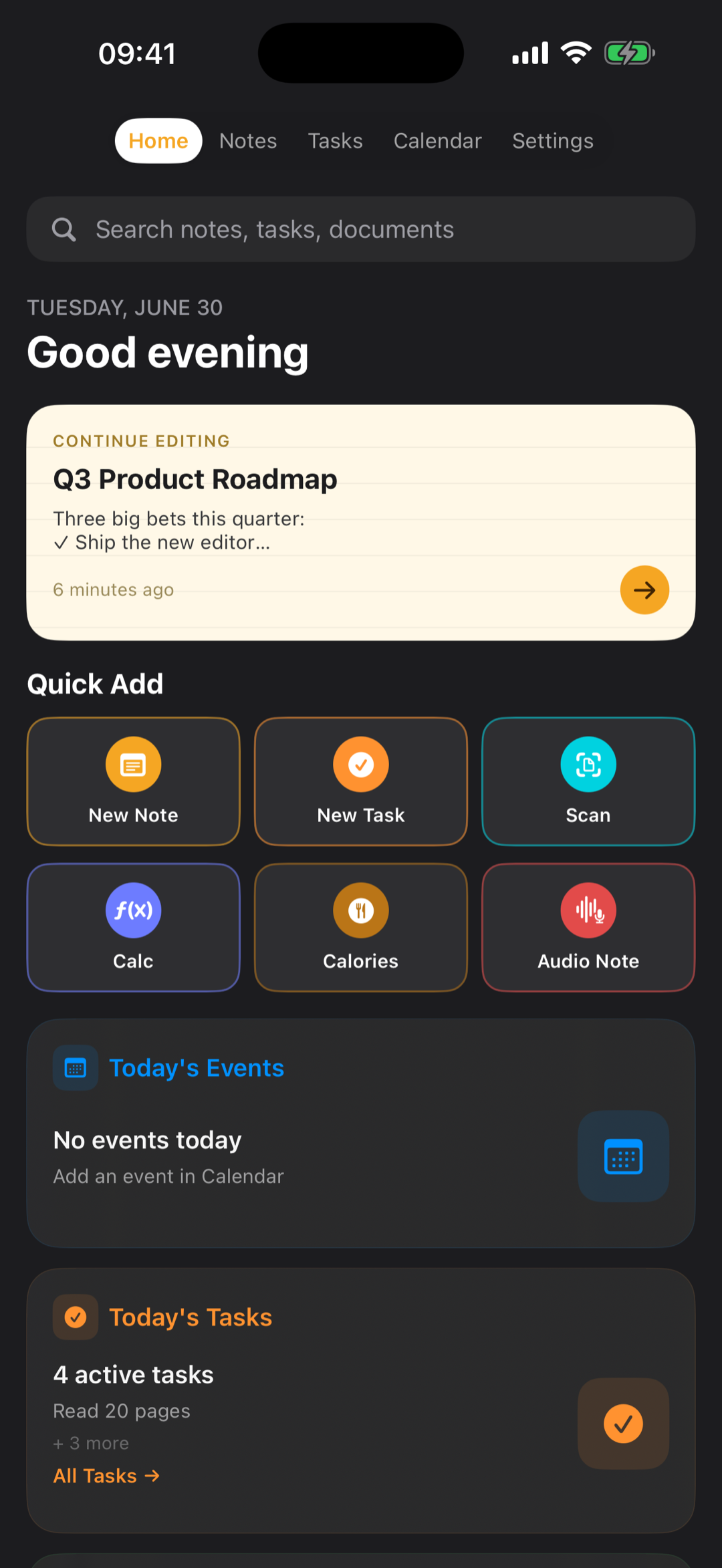
Most apps just take notes. LuNote replaces the whole stack — AI-powered notes with Apple Pencil, tasks & calendar, location reminders, a PDF & EPUB library and meeting transcripts — in one calm, elegant app for iPhone, iPad and Apple Watch.

★★★★★ 5.0 on the App Store · 11 languages · Free to start
LuNote on iPad LuNote home
Summarized in seconds
📍 Location reminder set
🎙️ Meeting transcribed
AI Notes Apple Pencil Voice Recorder Tasks & Calendar Location Reminders PDF & EPUB Scanner & OCR Flashcards Apple Watch AI Notes Apple Pencil Voice Recorder Tasks & Calendar Location Reminders PDF & EPUB Scanner & OCR Flashcards Apple Watch
15+
Tools in one app
11
Languages
3
iPhone · iPad · Watch
Notes, synced by iCloud
Notes & AI

Type it, write it, or let AI shape it.

Rich text and true Apple Pencil handwriting on beautiful paper styles. Turn handwriting into text, then chat with your notes, summarize, translate, continue or improve them — even turn a note into a presentation, quiz or flashcards.

✍️ Apple Pencil💬 Chat with your notes ✨ Summarize · translate · rewrite🔤 Handwriting → text 📊 Note → presentation📄 Templates & paper styles
LuNote note editor
Tasks, Calendar & Reminders

Plan your day, your way.

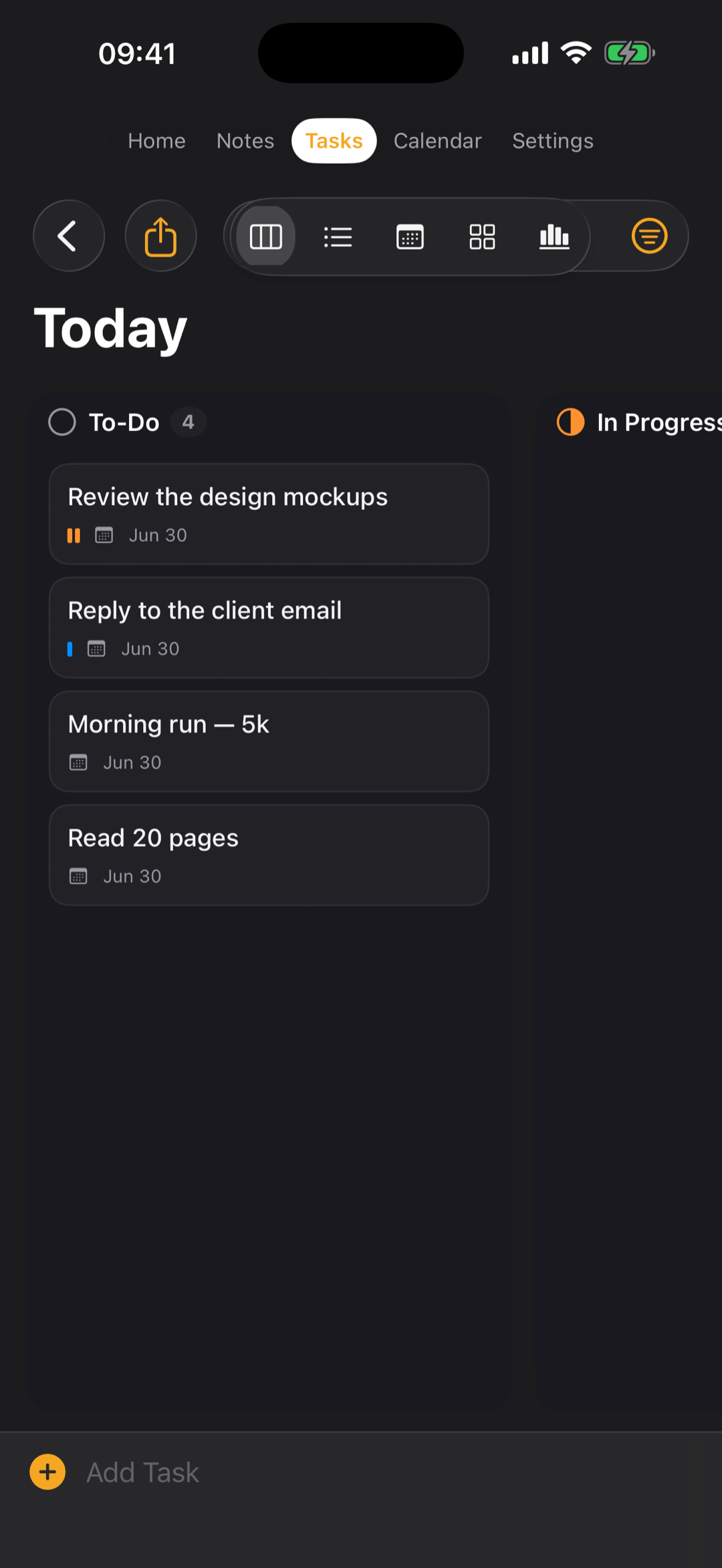
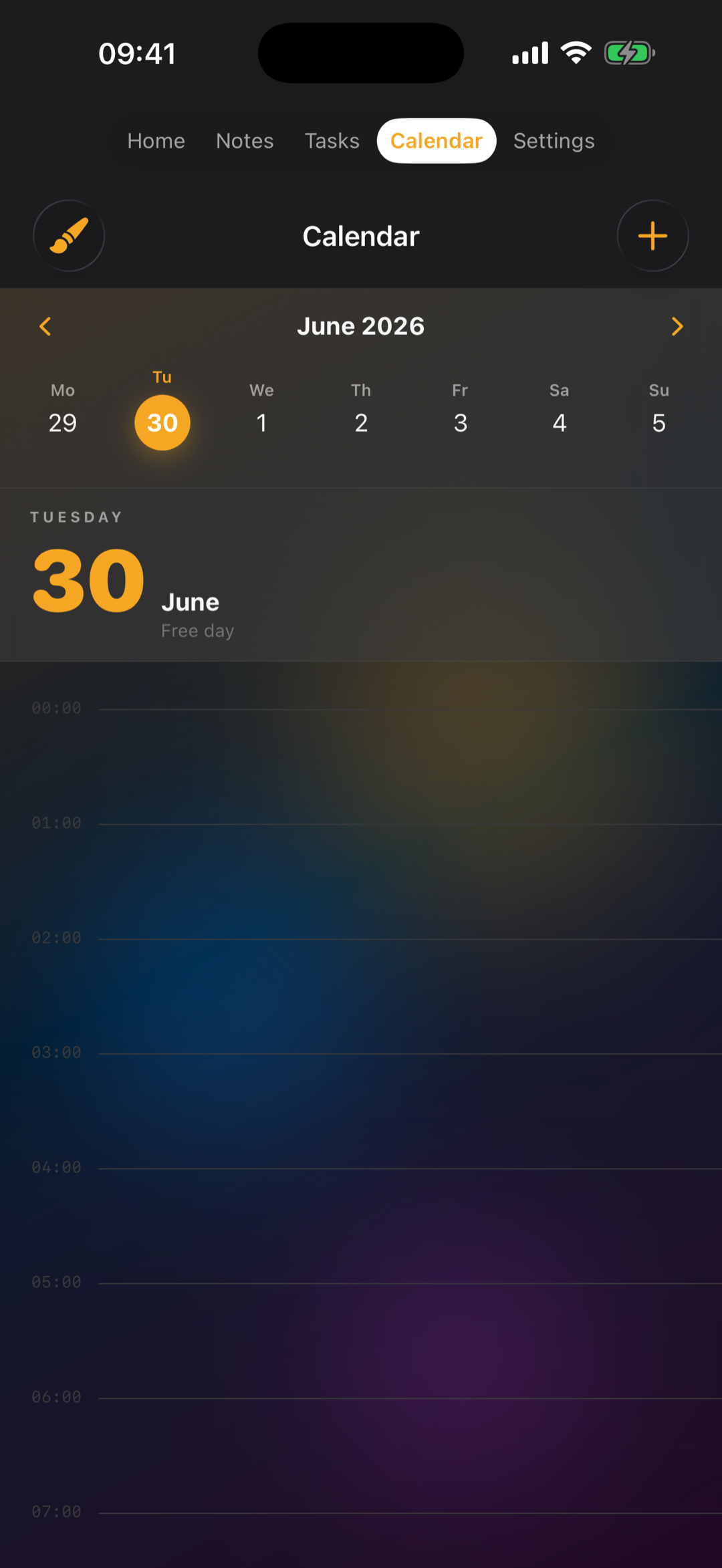
A full task manager with projects, areas and smart lists (Today, Upcoming, Inbox) shown as board, list, calendar, timeline and stats. Add sub-tasks, recurring tasks and reminders — including location reminders that nudge you when you arrive at or leave a place. Two-way sync with Apple Calendar.

📋 Projects & smart lists🗂️ Board · List · Calendar · Timeline 📍 Location reminders🔁 Recurring tasks 🔔 Reminders🍎 Apple Calendar sync
LuNote tasks
Library, Scanner & Import

Your whole library, in one place.

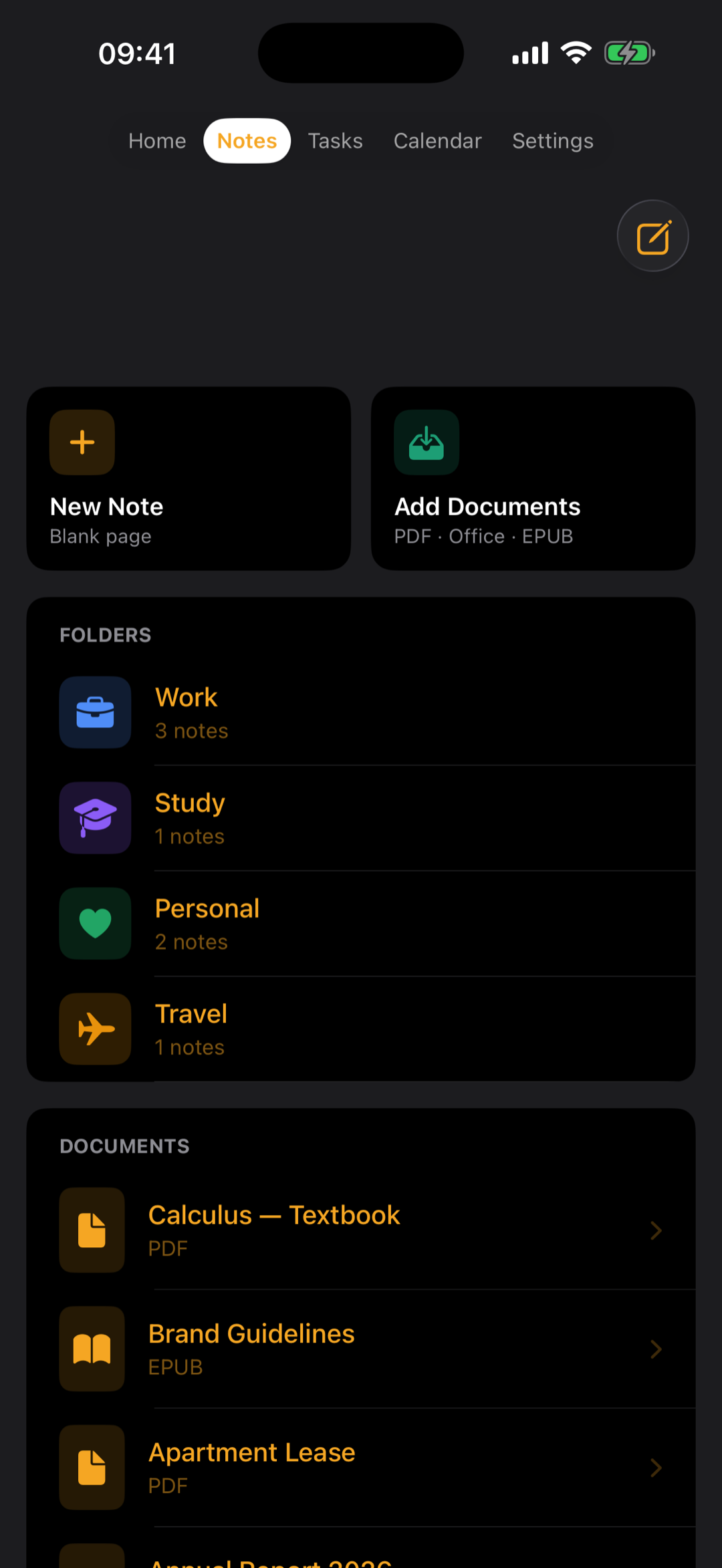
Import and read PDFs, Office files and EPUB books, annotate with Apple Pencil, and pick up right where you left off. Scan documents with your camera, extract text with OCR, and bring your Notability & GoodNotes backups over from Google Drive, iCloud or Files.

📚 PDF · Office · EPUB reader📷 Document scanner 🔎 OCR text recognition📥 Import Notability & GoodNotes🗂️ Folders
LuNote library
Capture & Study

Catch every idea. Remember more.

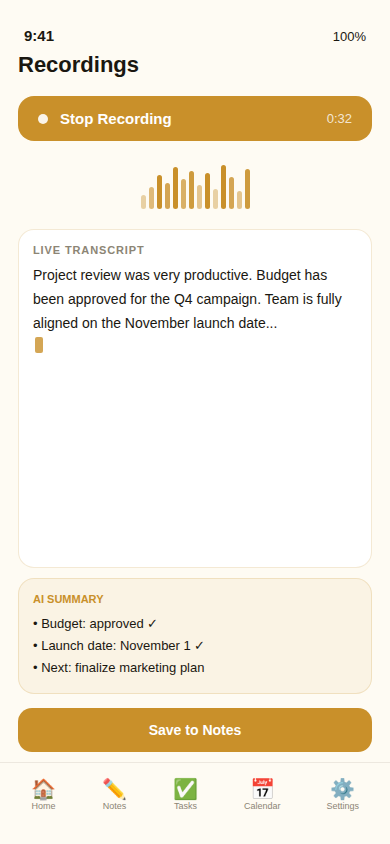
Record voice notes and meetings with real-time transcription and AI summaries — audio even stays in sync with your handwriting. Study smarter with spaced-repetition flashcards, a daily streak and study stats. Capture anything in a tap with Siri, widgets or the share sheet.

🎙️ Voice & meeting recorder📝 Live transcription + AI summary 🎴 Flashcards (spaced repetition)🔥 Streak & study stats ⚡ Siri · Widgets · Share sheet
LuNote calendar
Everything inside

One app, quietly powerful.

All the tools you reach for through the day — thoughtfully designed to work together.

✍️

AI Notes & Apple Pencil

Handwrite on custom paper, then summarize, continue, improve and translate — with handwriting-to-text built in.

💬

Chat with Notes

Ask questions, get answers from your own notes.

🎙️

Voice & Meetings

Live transcription with AI summaries.

Tasks & Projects

Board, list, calendar & timeline.

📍

Location Reminders

Get nudged when you arrive at or leave a place.

🗓️

Calendar Sync

Two-way with Apple Calendar.

📚

Library & OCR

PDF/Office/EPUB, scan & recognize text.

📥

Import Backups

Notability & GoodNotes via Drive/iCloud.

🧮

Calculator

Scientific, with camera solving.

🎴

Flashcards

Spaced repetition + streak.

🍎

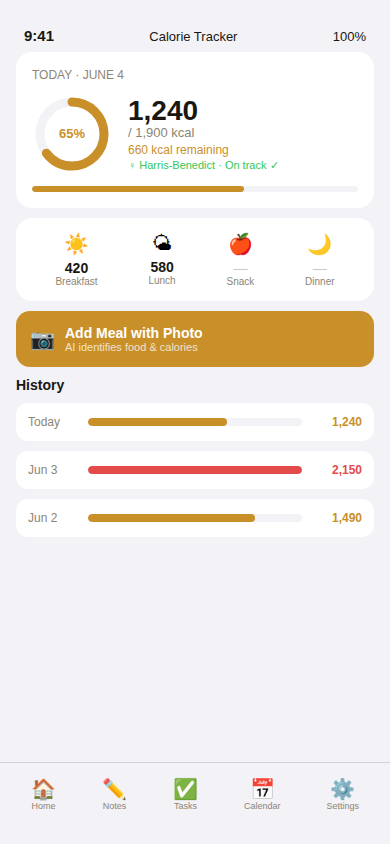
Calorie Tracker

Snap a photo to estimate calories.

📲

Widgets, Apple Watch, iCloud & 11 Languages

Your notes and tasks at a glance — on your wrist, Home Screen and every device, safely in sync, in your language.

Quick Capture

Siri, widgets & share sheet.

📤

Export & Backup

PDF, Markdown, backup & restore.

Made for iPad

Room to think.

On iPad, LuNote opens up into a full workspace — notes, tasks, calendar and your library side by side, with Apple Pencil at the center of it all.

Multi-column layoutApple PencilSplit views
LuNote on iPad
Pricing

Choose your plan.

Start free. Step up to Planner or Full for everything, including AI. One subscription instead of five apps.

Free
Your notes and days, beautifully organized.
Free
Free forever
  • Notes, folders & rich text
  • Calendar view
  • Read PDFs, Office & EPUBs
  • No account required
Get started
Planner
A complete planner — tasks, projects & calendar.
per month
  • Everything in Free
  • Tasks, projects & smart lists
  • Board · List · Calendar · Timeline · Stats
  • Location reminders & recurring tasks
  • Apple Calendar sync
Choose Planner
Most popular
Full
Everything LuNote can do — including AI.
per month
  • Everything in Planner
  • All AI — chat, summarize, translate, slides, quiz
  • Voice & meeting recorder + transcription
  • Document scanner & OCR
  • Scientific calculator & calorie tracker
  • Flashcards & study stats
Get Full

Prices shown for your region — the exact amount is always confirmed on the App Store. Cancel anytime from Settings. The Planner plan appears as “Ajanda” on the App Store.

Support

Need a hand?

Quick answers to the things people ask most.

🎟️ Redeeming a code

Open LuNote, go to Settings → Redeem a Code, and enter your offer code to activate Premium.

🔑 Forgot your password?

On the sign-in screen tap Forgot password? — we'll email you a secure link to set a new one.

👤 Signing in

Use Apple, Google or email, or continue without an account. Your notes sync across devices with iCloud.

✉️ Contact us

Questions or feedback? Email support@lunote.app — we read everything.

Everything you plan, beautifully in one place.

Download LuNote and bring your notes, tasks and days together — free to start.

Download on the App Store